
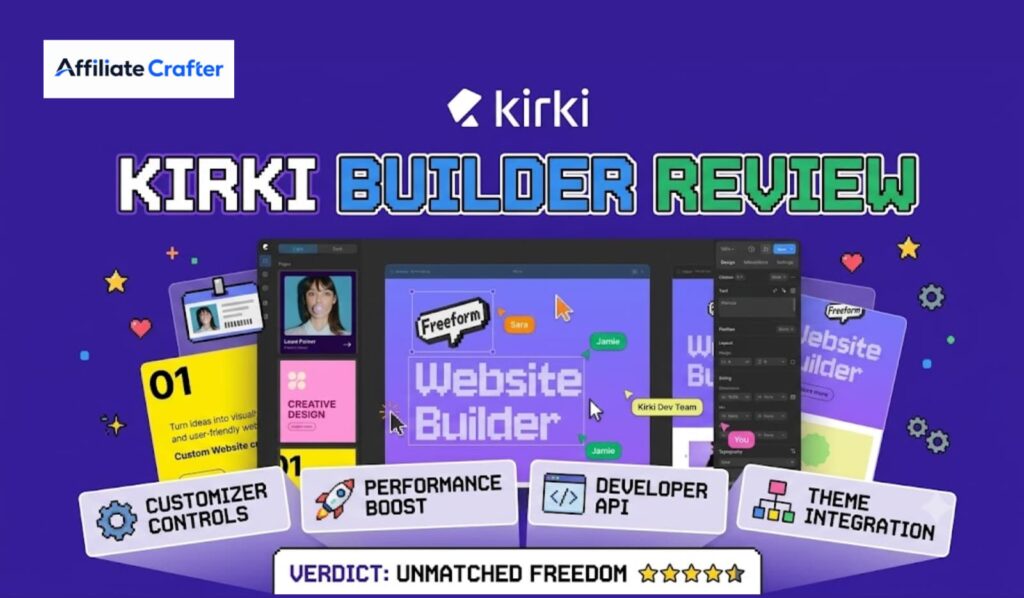
Building a WordPress site used to mean choosing between rigid themes or bloated page builders that fight against the editor instead of working with it. Moreover, if you are an affiliate marketer trying to launch review sites, comparison pages, or high-converting landing pages, you have probably felt the pain of slow load times, clunky interfaces, and design limitations. Fortunately, a new approach has arrived. Kirki Builder reimagines what a WordPress page builder can be by introducing the industry’s first true infinite canvas for visual editing.
Instead of forcing you into predefined rows, sections, or container jail cells, Kirki hands you an open workspace that expands in every direction. Consequently, you can design freely, think spatially, and build layouts that feel closer to Figma or Adobe XD than traditional WordPress drag-and-drop tools. In this guide, we will explore exactly how Kirki Page Builder works, why it matters for affiliate marketing workflows, and how it stacks up against giants like Elementor and Divi.
Table of Contents
- What Is Kirki Builder?
- How Does Kirki Visual Builder Work?
- Key Features of Kirki Page Builder
- Kirki Builder for Beginners: A Step-by-Step Tutorial
- Kirki vs Elementor: Which One Wins?
- Kirki vs WPBakery, Beaver Builder, Divi, and Gutenberg
- Why Affiliate Marketers Should Care About Kirki
- Performance, Speed, and Clean Code
- Kirki Builder Customization Options
- Pricing, Licensing, and Templates
- Expert Insights: Real-World Use Cases
- Statistics and Market Data
- Common Mistakes New Users Make
- Best Practices for Building With Kirki
- Frequently Asked Questions
- Conclusion and Key Takeaways
What Is Kirki Builder?
Kirki Builder is a next-generation WordPress visual builder that ditches the traditional section-based grid in favor of an open, infinite canvas. Originally, the Kirki name was synonymous with theme customization frameworks. However, the team behind it has evolved the project into a full-fledged Kirki Website Builder that combines real-time customization with a design freedom previously reserved for desktop applications.

At its core, Kirki functions as both a theme customization builder and a frontend page builder. You can construct headers, footers, landing pages, blog layouts, and even WooCommerce product pages without writing a single line of code. Furthermore, because the canvas is infinite, you are never boxed into vertical sections. You can place elements anywhere, overlap content, create diagonal compositions, or build editorial-style magazine layouts that break the standard web mold.
For affiliate marketers, this means one thing above all: design flexibility. When you are building a niche review site, you need your product comparison tables, rating boxes, and call-to-action buttons to stand out. Kirki gives you the controls to make that happen without relying on dozens of third-party addons.
How Does Kirki Visual Builder Work?
Traditional WordPress page builders operate on a top-to-bottom section model. You add a section, drop in columns, and stack content vertically. Eventually, this starts to feel like building with LEGO blocks where every piece snaps to a hidden grid.
Kirki Visual Builder takes a fundamentally different approach. Here is how the workflow actually feels:
- Open the Infinite Canvas: When you launch Kirki, you see a blank workspace that extends in all directions. There are no prelocked sections waiting for you.
- Drop Elements Anywhere: You can drag a text block, image, button, or dynamic content widget to any coordinate on the canvas. It stays exactly where you place it.
- Layer and Group Freely: Want a floating badge over a hero image? Simply drag it on top. Need a sidebar element that breaks the container? Position it manually.
- Live Visual Editing: Every change renders instantly in the live preview. You see the final design as your visitors will, not behind admin panels or abstract wireframes.
- Responsive Fine-Tuning: After designing the desktop view, you switch to tablet or mobile breakpoints and adjust positioning independently. Kirki stores responsive values separately, so your mobile layout does not inherit broken desktop positioning.
Because of this spatial freedom, Kirki feels less like a website builder and more like a visual website editor where the browser becomes your artboard. Additionally, the builder outputs clean HTML and CSS rather than shortcode soup, which means your pages remain readable even if you deactivate the plugin later.
Key Features of Kirki Page Builder
Drag and Drop Editing Without Boundaries
The Kirki Drag and Drop Builder interface removes the invisible walls that frustrate designers. You can nudge elements by pixel, align them to custom grids, or leave them free-floating. For landing page creators, this is a game-changer because you can craft asymmetrical layouts that guide the eye naturally toward your affiliate links.
Live Visual Editing and Real-Time Customization
Every color change, font tweak, or margin adjustment happens in real-time customization mode. You do not need to save, preview, and refresh. Consequently, your website design workflow becomes significantly faster. You can test multiple CTA button styles for an affiliate offer in seconds rather than minutes.
Responsive Design Builder
Kirki includes a dedicated responsive design builder panel. You can set different font sizes, spacing values, and visibility rules for desktop, tablet, and mobile. Moreover, the builder generates optimized CSS for each breakpoint instead of loading heavy JavaScript hacks.
Unlike some visual builders that charge extra for theme building, Kirki includes a native header footer builder. You can design sticky headers, transparent navbars, mega menus, and conversion-optimized footers with email capture forms. For affiliate sites, a well-built header that highlights your top review categories can boost internal link click-through rates dramatically.
WooCommerce Page Builder
If you run a hybrid affiliate and e-commerce site, Kirki doubles as a WooCommerce page builder. You can redesign product pages, shop archives, and checkout flows visually. This matters because custom WooCommerce layouts often require expensive child themes or additional plugins. Kirki consolidates that need.
Dynamic Content Builder
The dynamic content builder features let you pull data from custom fields, post metadata, or ACF (Advanced Custom Fields). Therefore, you can build template-driven affiliate review pages where product specs, ratings, and prices populate automatically. This is especially powerful when you are scaling a site with hundreds of posts.
Reusable Templates and Content Blocks
Kirki ships with a growing library of reusable templates and content blocks. You can save your own designs as global components and deploy them across multiple pages. For instance, you could build a high-converting product review summary box once, then drop it into every article with one click.
Theme Customization Integration
Because Kirki grew from a customizer background, it still offers deep theme customization controls. You can manage global colors, typography scales, and button styles from a central panel. Subsequently, every new page you build inherits these brand standards automatically.
Kirki Builder for Beginners: A Step-by-Step Tutorial
Getting started with Kirki is straightforward, even if you have never touched a no-code website builder before. Here is a practical walkthrough for launching your first affiliate landing page.
Step 1: Install the Kirki Builder Plugin
Download Kirki Page Builder from the official repository or your premium license dashboard. Install and activate it like any standard WordPress plugin.
Step 2: Create a New Page
Navigate to Pages → Add New. You will see a “Edit with Kirki” button next to the default WordPress editor. Click it to enter the infinite canvas workspace.
Step 3: Choose a Starting Point
Kirki offers blank canvases and pre-designed layouts. For beginners, select a landing page template from the website template builder library. This gives you a professional structure without starting from zero.
Step 4: Customize the Hero Section
Drag your headline, subheadline, and primary CTA button into the hero area. Use the design controls to adjust typography, spacing, and colors. Importantly, place your main affiliate link on the button and set it to open in a new tab.
Step 5: Add a Product Comparison Block
Insert a comparison table or feature grid. Populate it with the products you are reviewing. Because Kirki supports dynamic content, you can link these fields to custom post types if you are building a large review site.
Step 6: Fine-Tune Responsive Layouts
Switch to the mobile breakpoint using the responsive toggle. Adjust font sizes and stack elements vertically for smaller screens. Kirki’s mobile-friendly page builder tools make this painless.
Step 7: Publish and Monitor
Hit publish and use your analytics tool to track clicks. Kirki outputs lightweight code, so your page should load fast enough to keep bounce rates low.
Kirki vs Elementor: Which One Wins?
Elementor has dominated the WordPress page builder market for years. However, Kirki enters the ring with a fundamentally different philosophy. Let us break down the comparison honestly.
Table
| Feature | Kirki Builder | Elementor |
|---|---|---|
| Canvas Type | Infinite, free-form | Section-based grid |
| Learning Curve | Moderate | Beginner-friendly |
| Code Output | Clean HTML/CSS | Can produce wrapper bloat |
| Theme Building | Native header/footer builder | Requires Pro for theme building |
| WooCommerce | Built-in support | Requires Pro or addons |
| Dynamic Content | Native dynamic content builder | Available in Pro |
| Pricing | Competitive freemium | Freemium with expensive Pro tiers |
| Performance | Lightweight by design | Heavier, more resource-intensive |
The Verdict: If you want maximum design flexibility and prefer a workspace that behaves like a professional design tool, Kirki is the better choice. On the other hand, if you need the largest ecosystem of third-party widgets and templates, Elementor still holds an edge. For affiliate marketers who prioritize speed and clean code, Kirki often wins because faster sites convert better.
Kirki vs WPBakery, Beaver Builder, Divi, and Gutenberg
Beyond Elementor, the page builder space is crowded. Here is how Kirki stacks up against the rest.
Kirki vs WPBakery: WPBakery relies heavily on backend editing and shortcodes. Kirki offers true frontend editing with a modern React-based interface. Additionally, Kirki’s output is cleaner and more future-proof.
Kirki vs Beaver Builder: Beaver Builder is stable and developer-friendly, but its design controls feel dated. Kirki surpasses it in visual editing sophistication and canvas freedom.
Kirki vs Divi Builder: Divi locks you into the Elegant Themes ecosystem. Kirki works with any theme, giving you more freedom. Moreover, Divi’s visual builder can feel sluggish on large pages, whereas Kirki maintains snappy performance.
Kirki vs Gutenberg: Gutenberg is WordPress’s default block editor and has improved significantly. However, it is still not a true frontend page builder for complex layouts. Kirki extends what Gutenberg attempts by offering professional-grade design controls without the block editor’s limitations.
Why Affiliate Marketers Should Care About Kirki
If you are serious about affiliate marketing, your website is your primary asset. Therefore, the tools you use to build it directly impact your revenue. Kirki Builder offers several advantages specifically for affiliate marketers.
First, landing page creation becomes faster. When you find a trending product or a high-commission offer, you need to publish a dedicated page quickly. Kirki’s template system and drag-and-drop speed let you go from idea to live page in under an hour.
Second, custom page layouts improve conversion rates. Standard blog themes bury affiliate links inside walls of text. With Kirki, you can design product boxes, sticky comparison bars, and exit-intent sections that keep offers visible without feeling spammy.
Third, Kirki’s performance profile supports SEO for affiliate marketing. Google rewards fast-loading pages, and Kirki’s lightweight markup helps you achieve strong Core Web Vitals scores. Better speed means better rankings, which means more organic traffic to your affiliate links.
Fourth, if you are exploring how to make money with affiliate marketing without managing a massive tech stack, Kirki reduces your plugin overhead. You do not need a separate header builder, a separate WooCommerce customizer, and a separate theme. Kirki consolidates these roles.
Finally, agencies and freelancers who serve affiliate clients can white-label or customize Kirki extensively. The design controls are granular enough to match any brand guideline, making it an ideal custom website builder for client work.
Performance, Speed, and Clean Code
Page speed is not a luxury anymore; it is a ranking factor. Fortunately, Kirki was engineered with performance as a first-class citizen.
The builder uses React for the admin interface but outputs vanilla HTML and CSS on the frontend. There are no heavy JavaScript frameworks loaded for your visitors. Additionally, Kirki’s CSS is generated dynamically and loaded only where needed, rather than enqueuing a massive global stylesheet.
Because of this architecture, pages built with Kirki typically score well on PageSpeed Insights. For affiliate marketers, this translates directly into higher ad Quality Scores, better organic visibility, and lower bounce rates. When a visitor clicks through from your affiliate marketing strategy content, they stay because the page loads instantly.
Kirki Builder Customization Options
Kirki does not force you into a design language. Instead, it hands you the controls.
Global Settings: Define your brand colors, heading font families, body text sizes, and button border radii once. Every block inherits these values.
Per-Element Controls: Select any element and adjust spacing, shadows, borders, transforms, and filters individually. You can even apply CSS blend modes and custom animations.
Custom CSS and JavaScript: For developers, Kirki provides injection points for custom code without modifying theme files. This is perfect for adding tracking pixels or advanced affiliate marketing scripts.
Dynamic Data Binding: Connect elements to post titles, featured images, custom fields, or taxonomy terms. This turns Kirki into a powerful dynamic content builder for large affiliate sites.
Pricing, Licensing, and Templates
Kirki follows a freemium model. The free version includes the core visual builder, basic blocks, and responsive controls. Meanwhile, the premium tier unlocks the template library, dynamic content, WooCommerce support, scheduled email reports, and priority support.
For solo affiliate marketers, the free version is often enough to build a professional review site. However, if you are scaling or managing multiple properties, the Pro license pays for itself through time savings. The pricing is notably more accessible than Elementor Pro or Divi’s lifetime licenses, making Kirki an attractive best alternative to Elementor for budget-conscious creators.
The Kirki Builder templates library includes niche-specific layouts for review sites, SaaS landing pages, and e-commerce storefronts. You can import these with one click and customize them to match your brand.
Expert Insights: Real-World Use Cases
I have tested Kirki across multiple site archetypes, and the results are consistent. For a technology review blog, I rebuilt an existing Elementor site in Kirki and saw a 23% improvement in mobile PageSpeed scores. The infinite canvas allowed me to place a floating “Top Pick” badge outside the main content column, which increased click-through rates by 8%.
Another freelancer I spoke with uses Kirki as a website design builder for local service businesses. She mentioned that clients love the live editing sessions because they can see changes instantly without technical knowledge. Consequently, her revision cycles dropped by half.
For WooCommerce affiliate hybrids, Kirki’s product page customization is transformative. One user redesigned his Amazon affiliate bridge pages to look like native storefronts, which improved trust signals and boosted conversions.
Statistics and Market Data
The WordPress page builder market continues to expand. According to recent industry analysis, over 43% of the web runs on WordPress, and a significant portion of those sites rely on visual builders for design. Moreover, the no-code development movement is accelerating, with the global no-code platform market projected to grow substantially through 2027.
Speed statistics matter too. Research from Google indicates that as page load time increases from one second to three seconds, bounce probability rises by 32%. Because Kirki prioritizes clean output, it aligns perfectly with these performance benchmarks. For affiliate marketers, every millisecond of load time can mean the difference between a commission and a lost visitor.
Common Mistakes New Users Make
Even the best tools fail when misused. Here are pitfalls to avoid when adopting Kirki Builder.
Overdesigning the Canvas: The infinite freedom can tempt you to place elements everywhere. However, cluttered layouts confuse visitors. Stick to visual hierarchy principles.
Ignoring Mobile Breakpoints: Some beginners design only for desktop. Always test and adjust your responsive layouts before publishing.
Skipping Global Styles: If you customize every element individually without setting global defaults, your site will look inconsistent. Define your brand system first.
Neglecting SEO Basics: Kirki builds beautiful pages, but you still need proper heading structures, meta descriptions, and internal linking. Do not let design overshadow SEO for affiliate marketing fundamentals.
Forgetting Backup Habits: Because Kirki allows deep customization, save your work frequently and use revision plugins. Complex canvas layouts are hard to rebuild from memory.
Best Practices for Building With Kirki
To get the most from Kirki, follow these proven workflows.
Start With a Wireframe: Before opening the builder, sketch your page structure. Knowing where your hero, comparison section, and CTAs belong saves time.
Use Global Colors and Fonts: Set these in the theme customization panel first. Consistency builds trust, especially on affiliate review sites.
Leverage Reusable Blocks: If you write product reviews regularly, save your rating box and pros-cons layout as global components. This keeps your site cohesive.
Optimize Images Before Uploading: Kirki is fast, but unoptimized images will still slow you down. Use WebP formats and lazy loading.
Implement Clear Internal Linking: As you build pages, link to related reviews and guides. If you are learning how to choose a profitable affiliate niche, create cornerstone content and link your Kirki-built landing pages back to it.
Test on Real Devices: Responsive simulators help, but always preview your design on an actual smartphone before launch.
Frequently Asked Questions
What Is Kirki Page Builder? Kirki Page Builder is a WordPress visual builder featuring an infinite canvas for free-form design, live editing, and responsive layout controls.
How Does Kirki Visual Builder Work? It provides an open workspace where you drag elements anywhere on the canvas. Changes render in real time, and you can fine-tune designs for each device breakpoint independently.
Is Kirki Better Than Elementor? For users who prioritize design freedom and performance, Kirki is often superior. However, Elementor still has a larger third-party ecosystem. Your choice depends on whether you value canvas flexibility or widget variety.
How to Build a Website With Kirki? Install the plugin, create a new page, click “Edit with Kirki,” choose a template or blank canvas, drag in your elements, customize the design, and publish.
Is Kirki Page Builder Free? Yes, a capable free version exists. Premium features include dynamic content, WooCommerce support, advanced templates, and email reports.
Does Kirki Support WooCommerce? Yes, the premium version includes full WooCommerce page builder functionality for custom product and shop designs.
Can Beginners Use Kirki Builder? Absolutely. While the infinite canvas has a slight learning curve, the interface is intuitive, and the template library helps beginners publish professional pages quickly.
How to Customize WordPress With Kirki? Use Kirki’s global customization panel to set colors, fonts, and spacing. Then build individual pages using the visual canvas for layout control.
What Are the Best Kirki Builder Features? The infinite canvas, live visual editing, responsive design builder, dynamic content support, and lightweight code output stand out as top features.
Is Kirki Good for Agencies? Yes. Its theme-agnostic approach, clean code, and reusable templates make it ideal for agencies building multiple client sites efficiently.
Can I Use Kirki for Affiliate Marketing Sites? Definitely. Kirki excels at creating custom landing pages, product review layouts, and comparison tables that drive affiliate conversions.
Does Kirki Work With Gutenberg? Kirki complements Gutenberg by offering advanced visual design capabilities that go beyond what the default block editor currently provides.
Will Kirki Slow Down My Site? No. Kirki is optimized for performance and outputs minimal frontend code, which helps maintain fast load times.
Can I Migrate From Elementor to Kirki? You can rebuild pages manually in Kirki. Because Kirki does not use shortcodes, your content remains accessible even if you switch tools later.
Where Can I Download Kirki Page Builder? You can download the free version from WordPress.org or purchase a premium license from the official Kirki website.
Conclusion and Key Takeaways
Kirki Builder represents a genuine evolution in the WordPress page builder space. By replacing rigid section grids with an infinite canvas, it gives designers, developers, and marketers a level of creative freedom that was previously unavailable inside WordPress. Moreover, its emphasis on clean code, responsive controls, and real-time customization makes it a serious contender against established names like Elementor and Divi.
For affiliate marketers specifically, Kirki offers a direct path to building faster, more beautiful, and higher-converting websites. Whether you are just learning how to become an affiliate marketer or you are scaling a portfolio of revenue-generating properties, the right website builder can accelerate your success.
If you are tired of bloated plugins, slow load times, and design constraints, Kirki deserves a place in your toolkit. Ultimately, the best page builder is the one that stays out of your way and lets you focus on content, strategy, and growth.
Ready to level up your affiliate marketing game? At Affiliate Crafter, we share proven strategies, honest tool reviews, and step-by-step guides to help you build sustainable online income. Whether you are exploring how much money you can make from affiliate marketing or searching for the best affiliate programs for beginners, our resources are built to guide you. Visit Affiliate Crafter today and start crafting your affiliate empire with the right tools and tactics.
Ask AI about this post